
OpenCode AI: An Open Source Agent for Smarter Software Development
Ai Agents & AutomationDescription
OpenCode - The open source coding agent.
A Closer Look
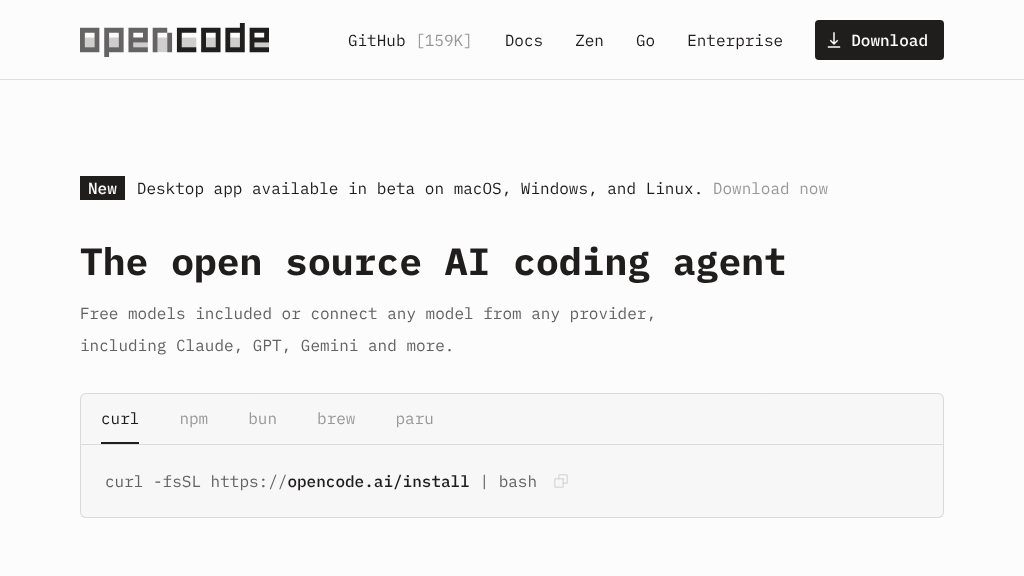
OpenCode is an open source AI coding agent for developers who want coding assistance across the terminal, an IDE, or a desktop application. The website presents it as a flexible layer between a developer’s project and a choice of AI models: users can use included free models, connect providers such as Claude, GPT, and Gemini, or select from more than 75 providers listed through Models.dev, including local models.
That flexibility is central to the product. It also means the experience may depend on which model, provider, and account a user chooses, so performance and setup should be evaluated rather than assumed.
Core Offering
OpenCode combines several workflow-oriented features rather than positioning itself as only a code generator:
- LSP support: The agent automatically loads the relevant language servers for the LLM, which can help it work with project-specific code intelligence.
- Multiple sessions: Developers can run agents in parallel on the same project, a useful option for separating tasks or exploring alternatives.
- Session sharing: A link can be shared for reference or debugging, although teams should review how shared links fit their own privacy practices.
- Flexible access: OpenCode is available through a terminal interface, desktop app, and IDE extension. The website identifies the desktop app as being in beta on macOS, Windows, and Linux.
- Existing subscriptions: The site lists support for GitHub Copilot accounts and ChatGPT Plus or Pro accounts, alongside connections to other model providers.
The project also emphasizes privacy, stating that it does not store users’ code or context data. Visitors working with sensitive repositories should still read the current privacy documentation and verify how their selected model provider handles data.
Strengths
- Open source code agent available through terminal, IDE, and desktop interfaces
- Supports more than 75 model providers, including local models, according to the website
- Includes LSP support, parallel sessions, and shareable session links
- The site states that OpenCode does not store users’ code or context data
Cons
- The desktop application is currently presented as a beta release
- Model quality, availability, and account requirements may vary by provider
- Users may need to configure external model providers or compatible subscriptions
Practical Workflows
A developer might use OpenCode to investigate an unfamiliar codebase, ask for implementation help from a terminal session, or run separate agents against related tasks. IDE and desktop access can make the tool more approachable for users who do not want a terminal-only workflow, while local-model support may appeal to teams with specific control or deployment requirements.
The open source model is another practical consideration. Developers can inspect and contribute to the project, but open source availability does not automatically remove the need to configure providers, manage accounts, or assess model quality.
Best-Fit Users
OpenCode is most relevant to software developers, engineering teams, and technically comfortable learners who want model choice and a multi-environment coding agent. It may be less suitable for users seeking a completely managed assistant with one fixed model and minimal configuration.
Balanced Takeaway
OpenCode’s strongest case is its combination of open source development, broad model connectivity, and access through terminal, IDE, and desktop workflows. Before adopting it, compare the available models, account requirements, beta limitations, and privacy terms for the providers you plan to use. Those checks will determine whether its flexibility is an advantage for your projects or an extra layer of setup.
Embeds
Copy short script widgets for this listing. People often use Textfrog to search for their next personal or work tool. Encourage your community to leave reviews on Textfrog.
Review widget
A clean review badge with stars and review count.
Featured badge
A compact badge for products listed on Textfrog.
Similar Tools
Build, test, deploy, and monitor production-ready AI voice agents at scale with ...
A terminal-based coding agent with practical details for online visitors.
Featured Links
Earn money for each visitor to your shortened links with xut.io! Earn up to $500...