
HTMLHost.co: Simple and Fast Hosting for Single HTML Files
Domains & HostingDescription
A dead-simple host for a single HTML file. Drop it in, share the URL, move on. Made for prototypes, demos, and the thousand weird things you build in an afternoon.
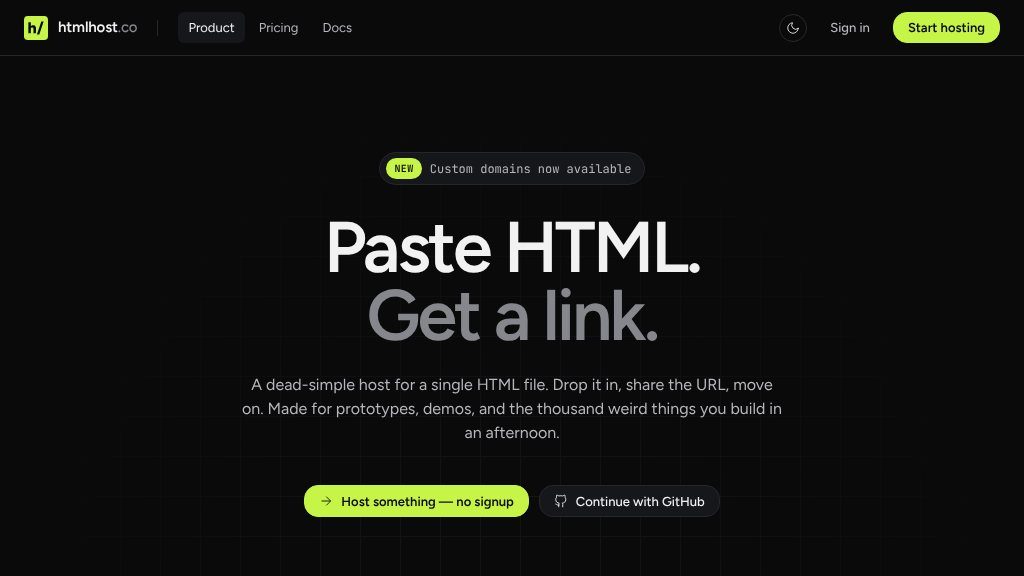
The Main Idea
HTMLHost.co belongs to the Domains & Hosting category, but it takes a narrower approach than general-purpose web hosts. Instead of presenting a full server, site builder, or application platform, it focuses on getting HTML content online with minimal setup. That matters when the main task is sharing a working page—not configuring a broader hosting environment.
The basic workflow is straightforward: paste HTML into the browser editor, upload a file, or deploy from a local directory. The service then provides a shareable subdomain URL. The page states that deployments can go live in under three seconds, although visitors should treat that as the provider’s stated performance rather than an independent test result.
What Visitors Can Explore
The service supports more than the original single-file description suggests. Visitors can upload individual HTML files, folders, or ZIP archives, and multi-page directories can be mapped to clean paths such as /about or /contact. A command-line tool is also available for terminal-based deployments, while a REST API supports site management and media uploads through Bearer-token authentication.
There is an in-browser editor with AI-assisted visual changes. The listed options include OpenAI, Anthropic, and Google models, with the ability to use a built-in model or bring a personal API key. This could be useful for quick front-end adjustments, though anyone relying on AI editing should review changes before publishing.
Other documented features include asset uploads, expiring sites, shareable subdomains, and Open Graph previews. Pro users can connect custom domains through a CNAME setup, with SSL and routing handled by the service according to the website.
Strengths
- Deploy HTML files, folders, ZIP archives, and multi-page sites through a simple browser workflow.
- Includes CLI and REST API options for repeatable or programmatic deployments.
- Supports temporary expiry settings, asset uploads, shareable subdomains, and custom domains for Pro users.
- Offers an integrated AI-assisted editor with listed OpenAI, Anthropic, and Google model options.
Cons
- Anonymous sites expire after seven days and are limited to two deployments.
- The documented feature set centers on HTML hosting and does not establish support for backend applications or databases.
- Custom domains and longer-term hosting options may require a paid Pro plan; current terms should be verified.
Potential Uses
HTMLHost.co is a practical fit for prototypes, interview exercises, classroom examples, small interactive experiments, and client previews. It can also help when a developer wants to publish a folder of front-end files without introducing a build pipeline or configuring a conventional host. The CLI and API make it more suitable for repeat deployments than a purely manual upload tool.
Audience and Fit
This service will appeal most to developers, designers, educators, and hobbyists who already have HTML-based work and want a quick public URL. It is less clearly suited to applications requiring server-side processing, databases, authentication, or other backend features; the supplied material documents HTML, assets, and deployment tools rather than those capabilities.
Before You Rely on It
Anonymous hosting is limited to two sites and expires after seven days, while the page states that the free plan supports up to three sites. Confirm current plan details, retention rules, API limits, and custom-domain requirements before using it for an important or long-lived project. For a temporary demo, the simplest path is to paste or upload the files, inspect the generated URL, and decide later whether an account or longer-term hosting arrangement is necessary.
Embeds
Copy short script widgets for this listing. People often use Textfrog to search for their next personal or work tool. Encourage your community to leave reviews on Textfrog.
Review widget
A clean review badge with stars and review count.
Featured badge
A compact badge for products listed on Textfrog.
Similar Tools
Compare shared, VPS, cloud and dedicated hosting plans side by side. with practi...
Deploy powerful cloud servers in minutes starting at $4/month. Flexible VPS host...
Get at-cost pricing & commissions, self-brokerage landers, lease to own, fast tr...
Bluehost is a well-established web hosting service provider that caters to indiv...
Featured Links
Eduify is an online education platform that provides tools and resources for lea...