
Design Professional Resumes Easily with Canva's Resume Maker
Resume & Portfolio ToolsDescription
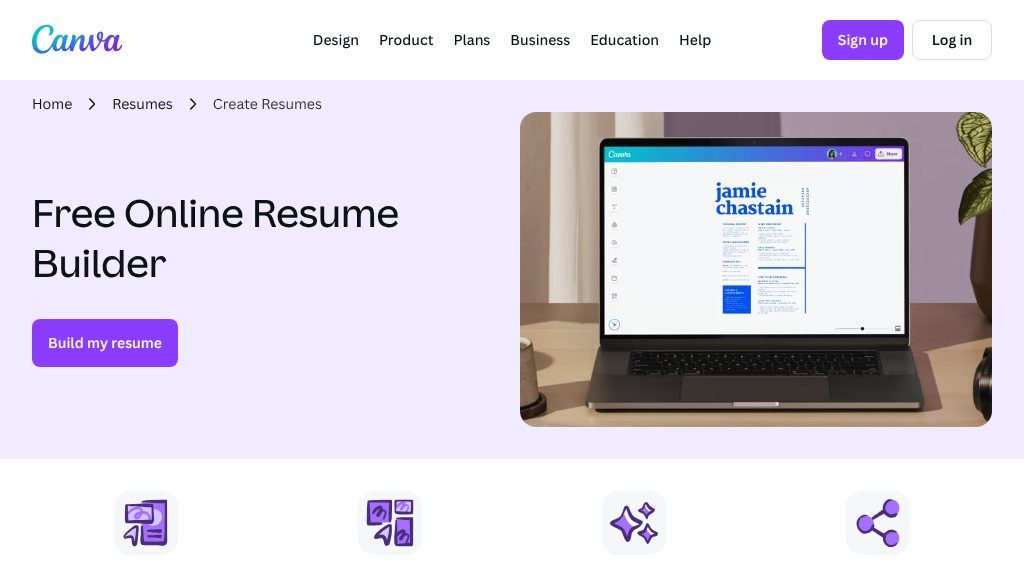
Canva’s Resume Maker is an online tool designed to simplify the process of creating visually appealing and professionally formatted resumes.
The Main Idea
Job seekers, students, and professionals often face a practical choice: use a plain document template or create a resume with more control over its visual presentation. Canva’s Resume Maker is aimed at people who want to build a polished, customized resume online without needing advanced graphic design skills.
Rather than treating resume creation as a purely text-based task, the tool places it within Canva’s broader design environment. Visitors can start with a prepared layout, then adapt the content and appearance to suit their experience, field, or personal style.
What Visitors Can Explore
The main attraction is a selection of resume templates covering different visual directions, including minimalist, modern, creative, and colorful layouts. These starting points can help users who are unsure how to structure a resume or want to move beyond a blank page.
Canva’s drag-and-drop editor supports adjustments to elements such as text boxes, icons, images, and page layouts. Users can also change fonts, colors, backgrounds, and other design details. For applicants who care about visual consistency, this makes it possible to create a resume that reflects a personal brand or complements other application materials.
The platform also provides graphic assets, including icons and illustrations. These may be useful for selectively emphasizing sections, although applicants should consider whether decorative elements suit the expectations of their target industry. Finished resumes can be downloaded in formats including PDF, PNG, and JPG, and the document can be shared with others for feedback.
Strengths
- Broad selection of resume layouts for different professional styles
- Drag-and-drop editing makes visual customization accessible to non-designers
- Supports changes to fonts, colors, backgrounds, and other design elements
- Offers downloadable formats and sharing for review or distribution
Cons
- Highly decorative layouts may not suit every industry or employer preference
- Applicants should verify that the selected format works with the requirements of their target application system
- The tool’s design flexibility still requires users to supply clear, accurate, and well-structured resume content
Potential Uses
This tool can support several stages of the resume process:
- Creating a first resume from a guided template
- Refreshing the layout of an existing resume
- Preparing a visually distinctive document for creative or design-oriented roles
- Sharing a draft with a mentor, peer, or career adviser for review
- Producing a digital or printable version for different application contexts
Audience and Fit
Canva’s Resume Maker appears particularly suitable for users who value design flexibility and an accessible editing process. Students and recent graduates may appreciate having structured templates to work from, while creative professionals may want more control over color, typography, and layout. It can also be useful to anyone who prefers an online design workspace to a conventional word processor.
Before You Rely on It
A visually appealing resume is not automatically appropriate for every employer or application system. Before submitting a design-heavy version, visitors should verify whether the target employer prefers a conventional format and whether the chosen file type is accepted. They should also review the final document for readable hierarchy, accurate information, and concise content.
Overall, Canva’s Resume Maker is a practical option for creating resumes with more visual control than basic document templates typically provide. Its usefulness will depend on matching the design to the role: it is a strong fit for customization-focused applicants, but a restrained layout may be the safer choice in more traditional hiring settings.
Embeds
Copy short script widgets for this listing. People often use Textfrog to search for their next personal or work tool. Encourage your community to leave reviews on Textfrog.
Review widget
A clean review badge with stars and review count.
Featured badge
A compact badge for products listed on Textfrog.
Similar Tools

ToolsHub offers 15+ free online tools: password generator, word counter, BMI, ag...
Create your best resume yet. Online resume and cover letter builder used by 8,00...
Artfolio makes it easy to convert your resume into a stunning portfolio website....
Featured Links
Earn money for each visitor to your shortened links with xut.io! Earn up to $500...